GUI Program to control the MyCobot. This is simulating the movement of the mycobot by Forward Kinematics. That is why this repositry is called MyCobot_FK_GUI. You can control MyCobot with chainging joint angle and speed.
This work is inspired by @Robonchu 's amazing work https://github.com/Robonchu/PythonSimpleManipulation
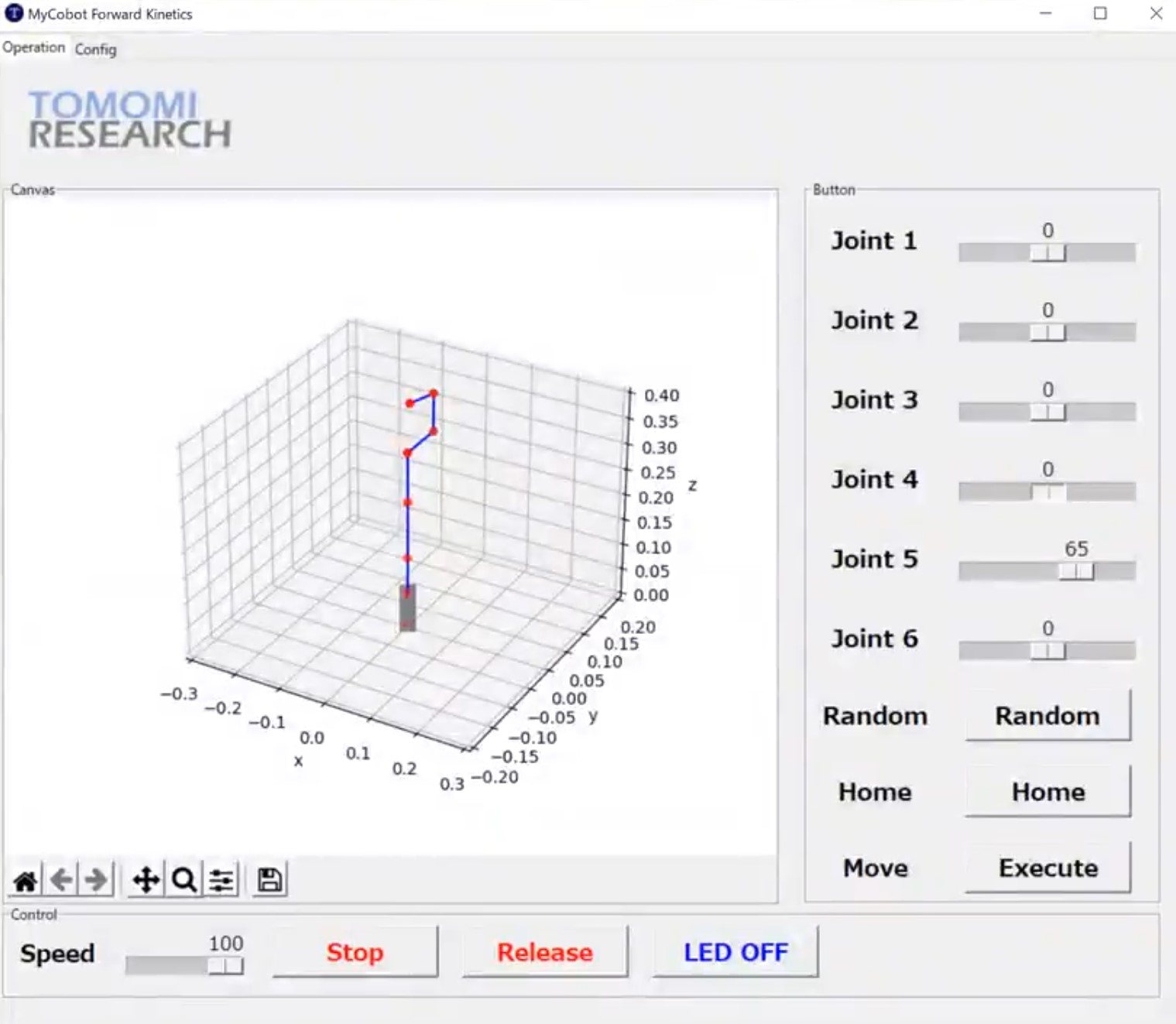

- Well-designed GUI Design is prepared.
- You can check the position of the robot arm and end-effector with 3D display.
- You can change the 6 joint angles and speed of motor with slider bars.
- Home and Random position buttons are prepared.
- Robot arm will start to move by clicking 'Execute' button,
python Pillow numpy matplotlib tkinter pymycobot
git clone https://github.com/kotai2003/MyCobot_FK_GUI.git
python GUI-MyCobot-Forward-Kinetics-controller-rev02.py
You need to change the device name according to your system settings. please open the GUI-MyCobot-Forward-Kinetics-controller-rev02.py and go to the line 18. you will find the follwing line.
device_name = 'COM6'
- if your myCobot is connected to 'COM3' on Windows system.
device_name = 'COM3'- if your myCobot is connected to USB on Linux system.
device_name = '/dev/ttyusb0'*Name: S Choe
*Affilitation : Tomomi Research Inc. (https://www.tomomi-research.com)
*twitter : @wireless_power (https://www.twitter.com/wireless_power)
Mycobot_FK_GUI is under MIT license.