Robot Control Based on EMG Signals in the Isaac Sim Environment 🤖
Environment name: 'test'
$ conda activate test$ cd ros2_ws
$ source /opt/ros/jazzy/setup.bash
$ source install/setup.bash- If you have updated the ROS2 code, run the following commands in your ros2_ws workspace:
$ colcon build
$ source install/setup.bashEnvironment name: 'env_isaacsim'
$ conda activate env_isaacsim$ cd isaacsim
$ isaacsim
or
$ ./isaac-sim.sh- Connects to the EMG device and retrieves EMG signals.
- Developed by CJ 🥸
- Run Python File
: main_gui.py
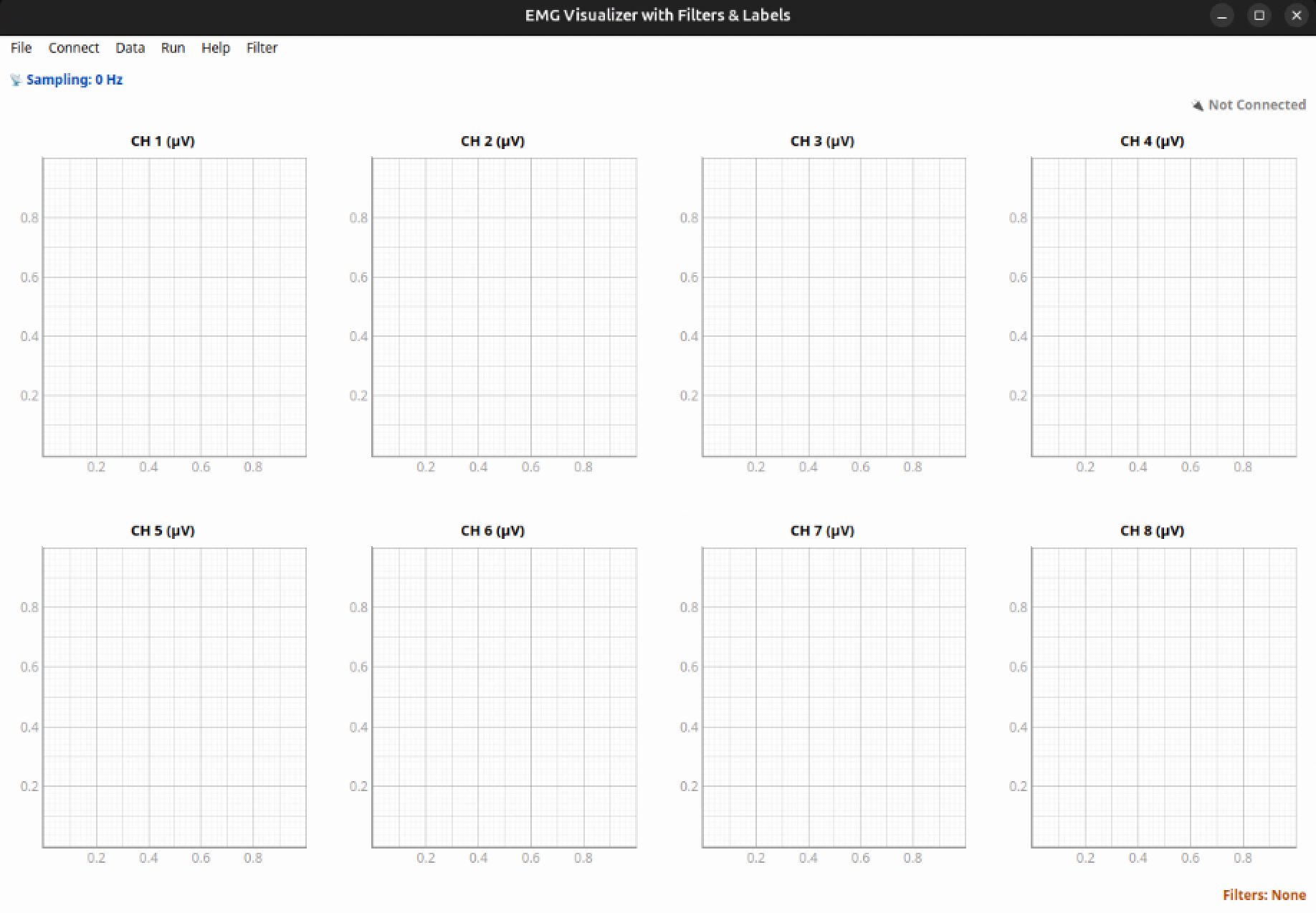

‼️ Before start blew package, you must done ROS2 setup‼️
- This package is for the right-hand EMG device.
- Connect to the EMG device
- Scan for the EMG device → connect
$ ros2 launch emg_device emg_signal_launch.py- Full pipeline: EMG connection + classification + robot control (Isaac Sim) ⭐️
- Scan for the EMG device → connect → wait 10s → start classification
$ ros2 launch emg_device emg_full_pipeline_launch.py/
name_filter:=<your device name>- This package is for the left-hand EMG device.
- Connect to the EMG device
- Scan for the EMG device → connect
$ ros2 launch emg_device_left emg_signal_launch.py- Full pipeline: EMG connection + classification + robot control (Isaac Sim) ⭐️
- Scan for the EMG device → connect → wait 10s → start classification
$ ros2 launch emg_device_left emg_full_pipeline_left_launch.py/
name_filter:=<your device name>- Controls the Shadow Hand robot in the Isaac Sim environment.
- Make sure to launch
emg_full_pipeline_launch.pyfirst.‼️
- Right-hand control
'''
- command
1~0: keyboard control
e: emg mode on/off
'''
$ ros2 run emg_shadow_hand_bridge shadow_hand_gesture_control- Left-hand control
'''
- command
1~0: keyboard control
e: emg mode on/off
'''
$ ros2 run emg_shadow_hand_bridge shadow_hand_gesture_control_left
- Controls the so-101(manipulator) robot in the Isaac Sim environment $ real world
- Make sure to launch
emg_full_pipeline_launch.py‼️
- Turn on the so-101 robot
# Conda Environment name: 'base'
$ conda activate base
$ cd ros2_ws/src/so101/gkim451/demo

# Left-hand
$ python ./run.py \
  --port /dev/follower_0 \
  --id lerobot_follower_0 \
  --cmd cmd.json \
  --hz 30

# Right-hand
$ python ./run.py \
  --port /dev/follower_1 \
  --id lerobot_follower_1 \
  --cmd cmd1.json \
  --hz 30
- control so-101 in Isaac Sim envrironment
'''
- command
1~0: keyboard control
e: emg mode on/off
r: reset pose
u: speed up!
d: speed down!
'''
# Left-hand
$ ros2 run so101 so101

# Right-hand
$ ros2 run so101 so101_right- Real robot control
# Left-hand
$ ros2 run so101 so101_real_control

# Right-hand
$ ros2 run so101 so101_real_control_right
$ conda activate test

$ cd ros2_ws/src/emg_system_gui
$ python -m emg_system_gui.emg_system_gui"짜잔" 준비 중 ...
GT━━━┓
┓┓┓┓┓┃/ . `
┓┓┓┓┓ : .\○ノ (와장창)
┓┓┓┓┓┃ ` / Run !
┓┓┓┓┓┃ `ノ) . `
┓┓┓┓┓┃ ,
┓┓┓┓┓┃ ○
┓┓┓┓┓┃ 人 (사뿐)
┓┓┓┓┓┃ /)
┓┓┓┓┓┃ ┎━━━━━━┒
┓┓┓┓┓┃ ┃┏┓┏┓┏┓┃ ○
┓┓┓┓┓┃ ┃┗┛┗┛┗┛┃ 人
┓┓┓┓┓┃ ┃┏┓┏┓┏┓┃ ../) (총총총)

To. Gyuwon 🔨📬
I wrote the code based on the username “meow,” so you might run into an error.
If that happens, just modify the config.py file inside the emg_system_gui folder.
You’ll see a path like /home/meow/ros2_ws/... — just change “meow” to “gkim451.”
If it still doesn’t work, haha, feel free to reach out!
If you have any other questions, feel free to email me anytime !!~! 😎
- Activate the conda environment
test. - Launch the
emg_devicepackage (connect to the EMG device). - Start Isaac Sim and click Play.
- Run the
emg_shadow_hand_bridgenode (connects Isaac Sim to the EMG device).
- Activate the conda environment
test. - Launch the
emg_devicepackage (connect to the EMG device). - Start Isaac Sim and click Play.
- Run the
so101node (connects Isaac Sim to the EMG device). - Run the
so101_real_controlnode (controls the real robot).
- working ......
>__<
-
Repair Engineer 1
Jeongseo Jang 🐈⬛
e-mail: tj6774@gmail.com
@JEONGSE0 -
Repair Engineer 2
Cheoljeong Park 🦦
e-mail: cheoljeongpark@gmail.com -
Tonkatsu Hammer & Repair Enginee 3
Gyuwon Kim 🥩🔨
e-mail: gyuwon.kim@gatech.edu