
Your ultimate guide to setting up Zed Editor with Vim mode, tailored settings, and key bindings for a seamless coding experience
The Zed Editor 101 setup guide is designed to help you configure Zed Editor to enhance your development workflow. Whether you’re a Vim enthusiast or looking to boost your productivity with custom settings and key bindings, this guide provides all the necessary steps and resources. Follow along to get your Zed Editor configured with Nerd Font, Vim mode, local AI assistance, and more.
Deploy the entire Zed configuration with a single command:
sh install.shThis backs up your existing settings.json, keymap.json, and tasks.json to a timestamped directory, then copies the repo versions into ~/.config/zed. To restore, run the cp command printed at the end.
Install Nerd Font using the following command:
curl -fsSL https://raw.githubusercontent.com/getnf/getnf/main/install.sh | bash
getnfThis setup uses zed-codemux as the default terminal shell, providing a multiplexer experience within Zed Editor. Install via:
cargo install codemuxThen configure in settings.json:
This setup integrates fff-gpui, a native-GUI fuzzy file finder and grep tool for Zed. It provides quick file navigation and project-wide search with a minimal TUI interface.
Install via:
brew tap th0jensen/fff-gpui
brew install fff-gpui
Keybindings:
| Keybinding | Action |
|---|---|
space f f |
Open interactive file picker |
space f g |
Open interactive grep search |
For detailed Vim mode setup instructions, refer to the Zed Vim Mode Documentation.
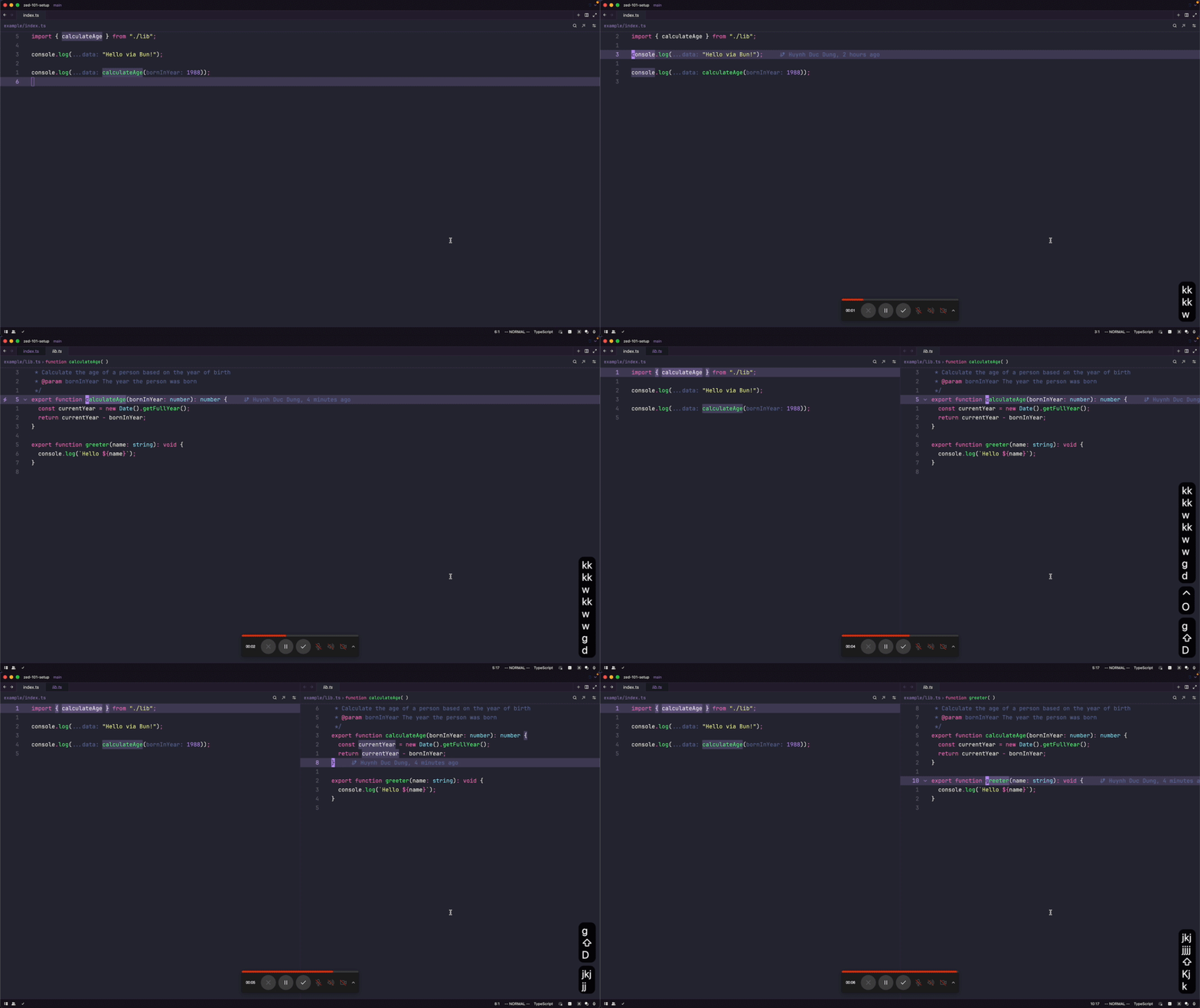
Update your settings.json file with the following configuration:
// settings.json, generated at Sat Jun 13 2026 16:13:20 GMT+0800 (Singapore Standard Time)
// Zed settings
//
// For information on how to configure Zed, see the Zed
// documentation: https://zed.dev/docs/configuring-zed
//
// To see all of Zed's default settings without changing your
// custom settings, run the `open default settings` command
// from the command palette or from `Zed` application menu.
//
// Full reference: https://zed.dev/docs/reference/all-settings
// Visual customization: https://zed.dev/docs/visual-customization
// Key bindings: https://zed.dev/docs/key-bindings
// Themes: https://zed.dev/docs/themes

{
  // UI font family (for menus, panels, etc.)
  // https://zed.dev/docs/reference/all-settings#ui-font-family
  "ui_font_family": "Maple UI",

  // Whether to colorize matching brackets (rainbow brackets)
  // https://zed.dev/docs/reference/all-settings#colorize-brackets
  "colorize_brackets": true,

  // Whether and how to display code lenses from language servers
  // https://zed.dev/docs/reference/all-settings#code-lens
  "code_lens": "menu",

  // Editor toolbar settings
  // https://zed.dev/docs/reference/all-settings#editor-toolbar
  "toolbar": {
    "code_actions": true,
  },

  // Whether to show signature help after completion or bracket pair inserted
  // https://zed.dev/docs/reference/all-settings#show-signature-help-after-edits
  "show_signature_help_after_edits": false,

  // Show method signatures when inside parentheses
  // https://zed.dev/docs/reference/all-settings#auto-signature-help
  "auto_signature_help": false,

  // Hide variable values in private files (e.g., .env, .pem)
  // https://zed.dev/docs/reference/all-settings#redact-private-values
  "redact_private_values": true,

  // Default behavior for opening files via CLI
  // https://zed.dev/docs/reference/all-settings#cli-default-open-behavior
  "cli_default_open_behavior": "existing_window",

  // Edit predictions settings (AI autocomplete)
  // https://zed.dev/docs/reference/all-settings#edit-predictions
  "edit_predictions": {
    "provider": "zed",
  },

  // Agent servers configuration (MCP servers)
  // https://zed.dev/docs/remote-development#mcp
  "agent_servers": {
    "pi-acp": {
      "type": "registry",
    },
    "kilo": {
      "type": "registry",
    },
    "github-copilot-cli": {
      "type": "registry",
    },
    "gemini": {
      "type": "registry",
    },
    "cursor": {
      "type": "registry",
    },
    "codex-acp": {
      "type": "registry",
    },
    "claude-acp": {
      "type": "registry",
    },
    "amp-acp": {
      "type": "registry",
    },
    "factory-droid": {
      "type": "registry",
    },
    "github-copilot": {
      "type": "registry",
    },
    "opencode": {
      "default_config_options": {
        "effort": "max",
        "model": "opencode/mimo-v2.5-free",
        "mode": "plan",
      },
      "favorite_config_option_values": {
        "model": ["opencode/deepseek-v4-flash-free", "opencode/mimo-v2.5-free"],
      },
      "type": "registry",
    },
  },

  // Session settings
  // https://zed.dev/docs/reference/all-settings#session
  "session": {
    "trust_all_worktrees": true,
  },

  // Git settings
  // https://zed.dev/docs/reference/all-settings#git
  "git": {
    "inline_blame": {
      "enabled": true,
    },
  },

  // Status bar settings
  // https://zed.dev/docs/reference/all-settings#status-bar
  "status_bar": {
    "show_active_file": false,
    "experimental.show": false,
  },

  // Gutter settings
  // https://zed.dev/docs/reference/all-settings#gutter
  "gutter": {
    "line_numbers": true,
  },

  // Cursor shape: bar, block, underline, hollow
  // https://zed.dev/docs/reference/all-settings#cursor-shape
  "cursor_shape": "bar",

  // Whether the cursor blinks
  // https://zed.dev/docs/reference/all-settings#cursor-blink
  "cursor_blink": true,

  // Use macOS native window tabs
  // https://zed.dev/docs/reference/all-settings#use-system-tabs
  "use_system_window_tabs": true,

  // Fallback fonts for editor buffer
  // https://zed.dev/docs/reference/all-settings#buffer-font-fallbacks
  "buffer_font_fallbacks": [
    "Maple Mono NF",
    "JetBrainsMono Nerd Font Mono",
    "Menlo",
    "Monaco",
    "Courier New",
  ],

  // Show whitespace characters: all, selection, none, boundary
  // https://zed.dev/docs/reference/all-settings#show-whitespaces
  "show_whitespaces": "all",

  // Show AI edit predictions in the editor
  // https://zed.dev/docs/reference/all-settings#show-edit-predictions
  "show_edit_predictions": true,

  // Use tab characters instead of spaces
  // https://zed.dev/docs/reference/all-settings#hard-tabs
  "hard_tabs": true,

  // Git panel settings
  // https://zed.dev/docs/reference/all-settings#git-panel
  "git_panel": {
    "collapse_untracked_diff": true,
    "show_count_badge": true,
    "diff_stats": true,
    "file_icons": true,
    "tree_view": true,
    "dock": "right",
  },

  // Icon theme settings
  // https://zed.dev/docs/reference/all-settings#icon-theme
  "icon_theme": {
    "mode": "dark",
    "light": "Catppuccin Mocha",
    "dark": "Catppuccin Mocha",
  },

  // Base keymap: VSCode, Atom, JetBrains, SublimeText, TextMate, None
  // https://zed.dev/docs/key-bindings#predefined-keymaps
  "base_keymap": "VSCode",

  // Theme settings
  // https://zed.dev/docs/themes
  "theme": {
    "mode": "dark",
    "light": "Maple Light",
    "dark": "Maple Dark",
  },

  // UI font size (for menus, panels, etc.)
  // https://zed.dev/docs/reference/all-settings#ui-font-size
  "ui_font_size": 17,

  // Editor buffer font size
  // https://zed.dev/docs/reference/all-settings#buffer-font-size
  "buffer_font_size": 18.5,

  // Finder model width
  // https://zed.dev/docs/reference/all-settings#file-finder
  "file_finder": {
    "modal_max_width": "medium",
  },

  // Buffer font family (editor font)
  // https://zed.dev/docs/reference/all-settings#buffer-font-family
  "buffer_font_family": "Maple Mono NF",

  // Vim mode settings
  // https://zed.dev/docs/reference/all-settings#vim
  "vim_mode": true,

  // Vim settings (empty = use defaults)
  // https://zed.dev/docs/reference/all-settings#vim
  "vim": {},

  // Which-key (vim keybinding helper) settings
  // https://zed.dev/docs/visual-customization#vim-mode
  "which_key": {
    "delay_ms": 500,
    "enabled": true,
  },

  // Use relative line numbers in gutter
  // https://zed.dev/docs/reference/all-settings#relative-line-numbers
  "relative_line_numbers": "enabled",

  // Auto-save after delay (matches nvim's autowrite behavior)
  // https://zed.dev/docs/reference/all-settings#autosave
  // "autosave": {
  // 	"after_delay": {
  // 		"milliseconds": 1000,
  // 	},
  // },

  // Editor vertical scroll margin (nvim's scrolloff=4)
  // Lines to keep above/below cursor
  // https://zed.dev/docs/reference/all-settings#vertical-scroll-margin
  "vertical_scroll_margin": 4,

  // Editor horizontal scroll margin (nvim's sidescrolloff=8)
  // Columns to keep left/right of cursor
  // https://zed.dev/docs/reference/all-settings#horizontal-scroll-margin
  "horizontal_scroll_margin": 8,

  // Confirm before quitting with unsaved changes (nvim's confirm=true)
  // https://zed.dev/docs/reference/all-settings#confirm-quit
  // "confirm_quit": true,

  // Tab bar settings
  // https://zed.dev/docs/reference/all-settings#editor-tab-bar
  "tab_bar": {
    "show": true,
  },

  // Scrollbar settings
  // https://zed.dev/docs/reference/all-settings#editor-scrollbar
  "scrollbar": {
    "show": "never",
  },

  // Only show error on tab
  // https://zed.dev/docs/reference/all-settings#editor-tabs
  "tabs": {
    "file_icons": true,
    "git_status": true,
    "show_diagnostics": "errors",
  },

  // Indentation guides (rainbow indentation)
  // https://zed.dev/docs/reference/all-settings#indent-guides
  "indent_guides": {
    "enabled": true,
    "coloring": "indent_aware",
  },

  // Zen mode / centered layout
  // https://zed.dev/docs/reference/all-settings#centered-layout
  "centered_layout": {
    "left_padding": 0.15,
    "right_padding": 0.15,
  },

  // Agent (AI) panel settings
  // https://zed.dev/docs/ai/agent-settings
  "agent": {
    "sidebar_side": "right",
    "default_profile": "ask",
    "favorite_models": [
      {
        "provider": "opencode",
        "model": "go/minimax-m2.7",
        "enable_thinking": false,
      },
      {
        "provider": "opencode",
        "model": "go/glm-5.1",
        "enable_thinking": false,
      },
      {
        "provider": "CrofAI",
        "model": "kimi-k2.6",
        "enable_thinking": false,
      },
      {
        "provider": "CrofAI",
        "model": "glm-5.1",
        "enable_thinking": false,
      },
      {
        "provider": "CrofAI",
        "model": "deepseek-v4-pro",
        "enable_thinking": false,
      },
      {
        "provider": "opencode",
        "model": "go/kimi-k2.6",
        "enable_thinking": false,
      },
    ],
    "dock": "right",
    "inline_assistant_model": {
      "provider": "opencode",
      "model": "free/big-pickle",
    },
    "default_model": {
      "provider": "CrofAI",
      "model": "kimi-k2.6",
    },
    // Notify when the agent finishes work while Zed is in background
    // https://zed.dev/docs/ai/agent-settings#notify-when-agent-waiting
    // Options: "primary_screen", "all_screens", "never"
    "notify_when_agent_waiting": "primary_screen",
    // Play a sound when the agent is done
    // https://zed.dev/docs/ai/agent-settings#play-sound-when-agent-done
    // Options: "never", "when_hidden", "always"
    "play_sound_when_agent_done": "never",
    // Show inline diff review for agent edits in the active buffer
    // https://zed.dev/docs/ai/agent-settings#single-file-review
    "single_file_review": true,
    // Automatically follow the agent as it reads/edits files
    "agent_follow": true,
    // Model-specific generation parameters
    // https://zed.dev/docs/ai/agent-settings#model-temperature
    "model_parameters": [
      {
        "provider": "opencode",
        // Lower temperature for code editing (more deterministic)
        "temperature": 0.3,
      },
      {
        "provider": "CrofAI",
        "temperature": 0.4,
      },
    ],
    // Show multiple inline assist alternatives
    // https://zed.dev/docs/ai/agent-settings#inline-alternatives
    "inline_alternatives": [
      {
        "provider": "opencode",
        "model": "free/minimax-m2.5-free",
      },
      {
        "provider": "opencode",
        "model": "free/big-pickle",
      },
    ],
    // Agent profiles (like sidekick.nvim profiles)
    // https://zed.dev/docs/ai/agent-settings#agent-profiles
    "profiles": {
      "write": {
        "name": "Write Code",
        "tools": {
          "edit_file": true,
          "create_file": true,
          "delete_file": true,
          "rename_file": true,
          "find_file": true,
          "terminal": true,
          "search": true,
          "fetch": true,
          "run_command": true,
          "copy_path": true,
          "move_path": true,
          "open_file": true,
          "go_to_file": true,
          "set_context": true,
          "set_files": true,
          "spawn_agent": false,
          "create_task": false,
        },
        "enable_all_context_servers": true,
      },
      "review": {
        "name": "Code Review",
        "tools": {
          "edit_file": false,
          "create_file": false,
          "delete_file": false,
          "rename_file": false,
          "find_file": true,
          "terminal": false,
          "search": true,
          "fetch": true,
          "run_command": false,
          "copy_path": true,
          "move_path": false,
          "open_file": true,
          "go_to_file": true,
          "set_context": true,
          "set_files": true,
          "spawn_agent": false,
          "create_task": false,
        },
        "enable_all_context_servers": true,
        "default_model": {
          "provider": "opencode",
          "model": "free/minimax-m2.5-free",
        },
      },
      "debug": {
        "name": "Debug",
        "tools": {
          "edit_file": true,
          "create_file": false,
          "delete_file": false,
          "rename_file": false,
          "find_file": true,
          "terminal": true,
          "search": true,
          "fetch": true,
          "run_command": true,
          "copy_path": true,
          "move_path": false,
          "open_file": true,
          "go_to_file": true,
          "set_context": true,
          "set_files": true,
          "spawn_agent": true,
          "create_task": false,
        },
        "enable_all_context_servers": false,
        "default_model": {
          "provider": "opencode",
          "model": "free/minimax-m2.5-free",
        },
      },
    },
    // Tool permission defaults
    // https://zed.dev/docs/ai/agent-settings#tool-permissions
    "tool_permissions": {
      "default": "confirm",
      "tools": {
        "terminal": {
          "always_allow": [
            {
              "pattern": "^(cargo|npm|bun|pnpm|yarn|deno)\\s+(build|test|check|run|format|lint|fix)",
            },
            {
              "pattern": "^(git\\s+(add|commit|diff|log|status|push|pull|branch\\s+-[Dd]))",
            },
            {
              "pattern": "^(ls|cat|head|tail|wc|echo|pwd|which|type|file)",
            },
          ],
          "always_deny": [
            {
              "pattern": "^(sudo|su|doas)\\s",
            },
            {
              "pattern": "^rm\\s+-[rf]\\s+/",
            },
          ],
        },
        "fetch": {
          "always_allow": [
            {
              "pattern": "^https://(api\\.)?github\\.com",
            },
            {
              "pattern": "^https://raw\\.githubusercontent\\.com",
            },
          ],
        },
      },
    },
    // Persistent sandbox permission grants
    // https://zed.dev/docs/ai/agent-settings#sandbox-permissions
    "sandbox_permissions": {
      "allow_network": true,
      "write_paths": [
        "/Users/huynhdung/conductor/workspaces/2026-04-07-jellydn-zed-101-setup/belo-horizonte",
      ],
    },
  },

  // Assistant settings (for local AI with Ollama)
  // https://zed.dev/docs/language-model-integration
  // Uncomment below to use local AI with Ollama:
  // "assistant": {
  //   "default_model": {
  //     "provider": "ollama",
  //     "model": "llama3.1:latest"
  //   },
  //   "version": "2",
  //   "provider": null
  // },

  // Language models configuration
  // https://zed.dev/docs/language-model-integration
  "language_models": {
    "opencode": {
      "show_zen_models": false,
    },
    "ollama": {
      "api_url": "http://localhost:11434",
    },
    "openai_compatible": {
      "CrofAI": {
        "api_url": "https://crof.ai/v1",
        "available_models": [
          {
            "name": "kimi-k2.6",
            "display_name": "Kimi K2.6",
            "max_tokens": 262144,
            "capabilities": {
              "tools": true,
              "images": true,
              "parallel_tool_calls": true,
              "prompt_cache_key": true,
            },
          },
          {
            "name": "kimi-k2.6-precision",
            "display_name": "Kimi K2.6 Precision",
            "max_tokens": 262144,
            "capabilities": {
              "tools": true,
              "images": true,
              "parallel_tool_calls": true,
              "prompt_cache_key": true,
            },
          },
          {
            "name": "qwen3.5-397b-a17b",
            "display_name": "Qwen 3.5",
            "max_tokens": 262144,
            "capabilities": {
              "tools": true,
              "images": true,
              "parallel_tool_calls": true,
              "prompt_cache_key": true,
            },
          },
          {
            "name": "deepseek-v4-pro",
            "display_name": "Deepseek V4 Pro",
            "max_tokens": 10000000,
            "capabilities": {
              "tools": true,
              "images": false,
              "parallel_tool_calls": true,
              "prompt_cache_key": true,
            },
          },
          {
            "name": "deepseek-v4-pro-precision",
            "display_name": "Deepseek V4 Pro Precision",
            "max_tokens": 10000000,
            "capabilities": {
              "tools": true,
              "images": true,
              "parallel_tool_calls": true,
              "prompt_cache_key": true,
            },
          },
          {
            "name": "glm-5.1-precision",
            "display_name": "GLM 5.1 Precision",
            "max_tokens": 202752,
            "capabilities": {
              "tools": true,
              "images": true,
              "parallel_tool_calls": true,
              "prompt_cache_key": true,
            },
          },
          {
            "name": "glm-5.1",
            "display_name": "GLM 5.1",
            "max_tokens": 202752,
            "capabilities": {
              "tools": true,
              "images": true,
              "parallel_tool_calls": true,
              "prompt_cache_key": true,
            },
          },
          {
            "name": "qwen3.6-27b",
            "display_name": "Qwen 3.6",
            "max_tokens": 262144,
            "capabilities": {
              "tools": true,
              "images": true,
              "parallel_tool_calls": true,
              "prompt_cache_key": true,
            },
          },
        ],
      },
    },
  },

  // Inlay hints (parameter names, types, etc.)
  // https://zed.dev/docs/reference/all-settings#inlay-hints
  // Preconfigured for: Go, Rust, TypeScript, Svelte
  "inlay_hints": {
    "enabled": true,
  },

  // LSP (Language Server Protocol) configuration
  // https://zed.dev/docs/configuring-languages#configuring-language-servers
  // Recipes (rust-analyzer, gopls, vtsls, biome) → example/lsp-settings.jsonc
  "lsp": {
    "tailwindcss-language-server": {
      "settings": {
        "classAttributes": ["class", "className", "ngClass", "styles"],
      },
    },
  },

  // Language-specific settings
  // https://zed.dev/docs/configuring-languages#language-specific-settings
  //
  // Base profile shared by most languages (TypeScript, JavaScript inherit as-is):
  //   show_whitespaces: "all", show_edit_predictions: true,
  //   hard_tabs: true, format_on_save: "on",
  //   inlay_hints: { enabled: true, show_parameter_hints: false,
  //                  show_other_hints: true, show_type_hints: true }
  //
  // Only overrides from the base are listed below.
  "languages": {
    // Python — ruff formatter, ty type-checker
    // https://zed.dev/docs/languages/python
    "Python": {
      "formatter": {
        "language_server": {
          "name": "ruff",
        },
      },
      "language_servers": [
        "ty",
        "ruff",
        "!basedpyright",
        "!pyrefly",
        "!pyright",
        "!pylsp",
      ],
    },

    // Rust — spaces + rust-analyzer formatter
    // https://zed.dev/docs/languages/rust
    "Rust": {
      "hard_tabs": false,
      "formatter": {
        "language_server": {
          "name": "rust-analyzer",
        },
      },
      "language_servers": ["rust-analyzer", "!rustc"],
    },

    // Go — gopls formatter
    // https://zed.dev/docs/languages/go
    "Go": {
      "formatter": {
        "language_server": {
          "name": "gopls",
        },
      },
      "language_servers": ["gopls", "!goimports"],
    },

    // Markdown — no format_on_save, preferred line length
    // https://zed.dev/docs/languages/markdown
    "Markdown": {
      "format_on_save": "off",
      "preferred_line_length": 80,
    },

    // JSON — spaces, no formatter override
    // https://zed.dev/docs/languages/json
    "JSON": {
      "hard_tabs": false,
    },
  },

  // Terminal settings
  // https://zed.dev/docs/reference/all-settings#terminal
  "terminal": {
    "shell": {
      // Edit this path to match your local codemux binary location
      "program": "/Users/huynhdung/.cargo/bin/codemux",
    },
    "show_count_badge": true,
    "font_size": 17.0,
    "font_family": "Maple Mono NF",
    "env": {
      "EDITOR": "zed --wait",
    },
  },

  // File type associations
  // https://zed.dev/docs/configuring-languages#file-associations
  "file_types": {
    "Dockerfile": ["Dockerfile", "Dockerfile.*"],
    "JSON": ["json", "jsonc", "*.code-snippets"],
  },

  // File scan exclusions (files to hide from file explorer and search)
  // https://zed.dev/docs/reference/all-settings#file-scan-exclusions
  "file_scan_exclusions": [
    "**/.git",
    "**/.svn",
    "**/.hg",
    "**/CVS",
    "**/.DS_Store",
    "**/Thumbs.db",
    "**/.classpath",
    "**/.settings",
    // Above is default from Zed
    "**/out",
    "**/dist",
    "**/.husky",
    "**/.turbo",
    "**/.vscode-test",
    "**/.vscode",
    "**/.next",
    "**/.storybook",
    "**/.tap",
    "**/.nyc_output",
    "**/report",
    "**/node_modules",
  ],

  // Telemetry settings
  // https://zed.dev/docs/reference/all-settings#telemetry
  "telemetry": {
    "diagnostics": true,
    "metrics": false,
  },

  // Project panel settings
  // https://zed.dev/docs/reference/all-settings#project-panel
  "project_panel": {
    "hide_root": true,
    "git_status_indicator": true,
    "diagnostic_badges": true,
    "show_diagnostics": "errors",
    "auto_fold_dirs": false,
    "button": true,
    "dock": "right",
    "git_status": true,
  },

  // Outline panel settings
  // https://zed.dev/docs/reference/all-settings#outline-panel
  "outline_panel": {
    "dock": "right",
  },

  // Collaboration panel settings
  // https://zed.dev/docs/reference/all-settings#collaboration-panel
  "collaboration_panel": {
    "dock": "right",
  },

  // Context servers (MCP servers) - kept as recipe only
  // https://zed.dev/docs/remote-development#mcp
  // The react-grab MCP server is kept as a recipe only. Leaving an active
  // custom context server makes Zed Preview show a no-op migration banner.
  // "context_servers": {
  // 	"react-grab-mcp": {
  // 		"command": "npx",
  // 		"args": ["-y", "@react-grab/mcp", "--stdio"],
  // 		"env": {},
  // 	},
  // },
}
LSP configuration recipes for rust-analyzer, gopls, vtsls, and biome are in example/lsp-settings.jsonc. Copy the relevant block into the "lsp" section of your settings.json to enable it.
| # | LSP Server | Language | Key Settings Demonstrated |
|---|---|---|---|
| 1 | rust-analyzer | Rust | checkOnSave, clippy checks, proc macros, inlay hints (binding, chaining, lifetime, type, parameter, reborrow) |
| 2 | gopls | Go | gofumpt, staticcheck, semantic tokens, analyses (nilness, fieldalignment), inlay hints |
| 3 | vtsls | TypeScript/JavaScript | Auto imports, inlay hints (parameter names, types, return types), organize imports, format config |
| 4 | biome | JS/TS/JSON/CSS | Formatter settings (indent, quotes, semicolons), linter, organize imports |
Each example showcases different LSP capabilities — diagnostics, formatting, code actions, inlay hints, and refactoring — useful for testing LSP integrations in Zed.
Example code files for each LSP server are available in the example/ directory to verify the features listed above.
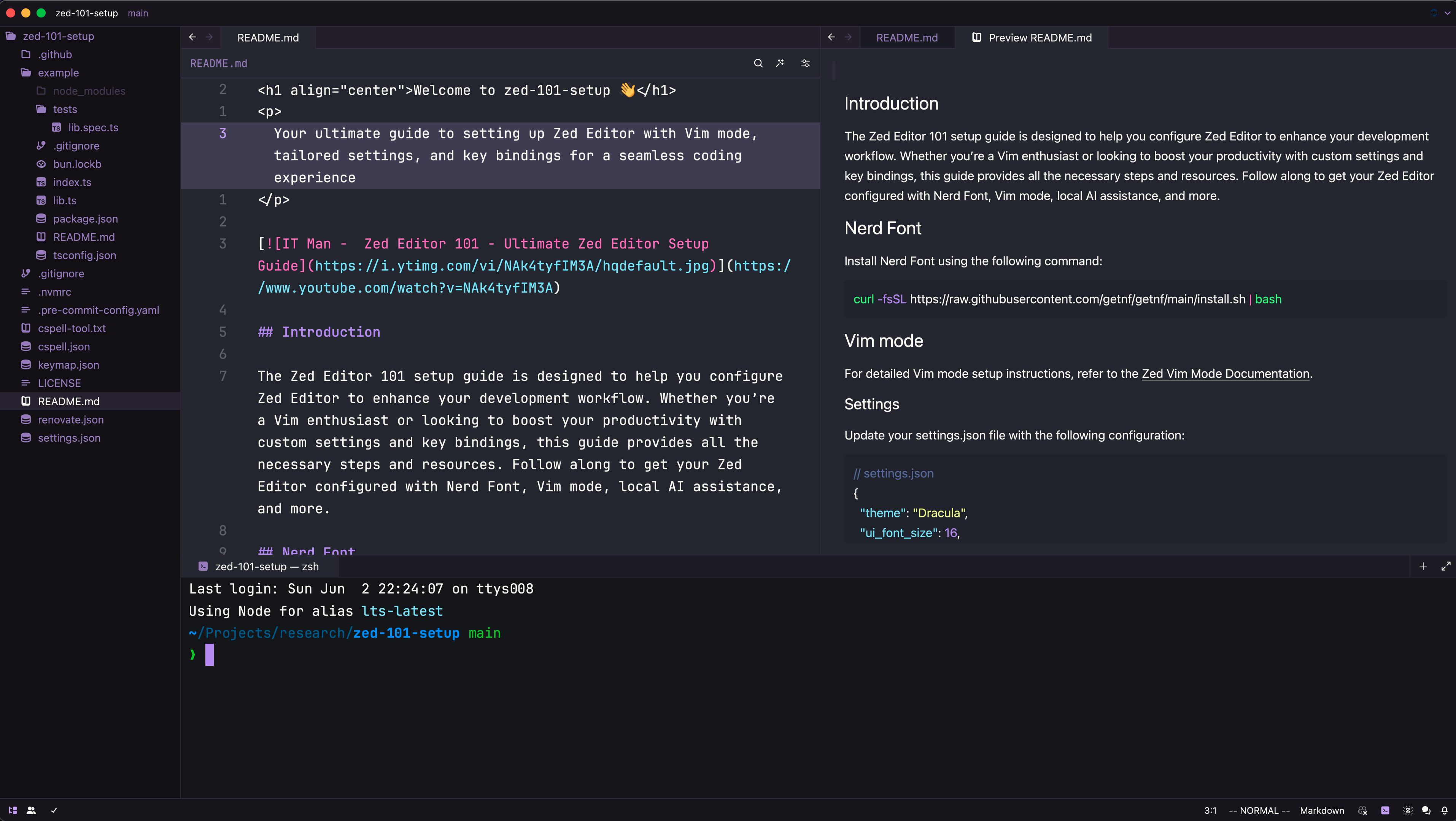
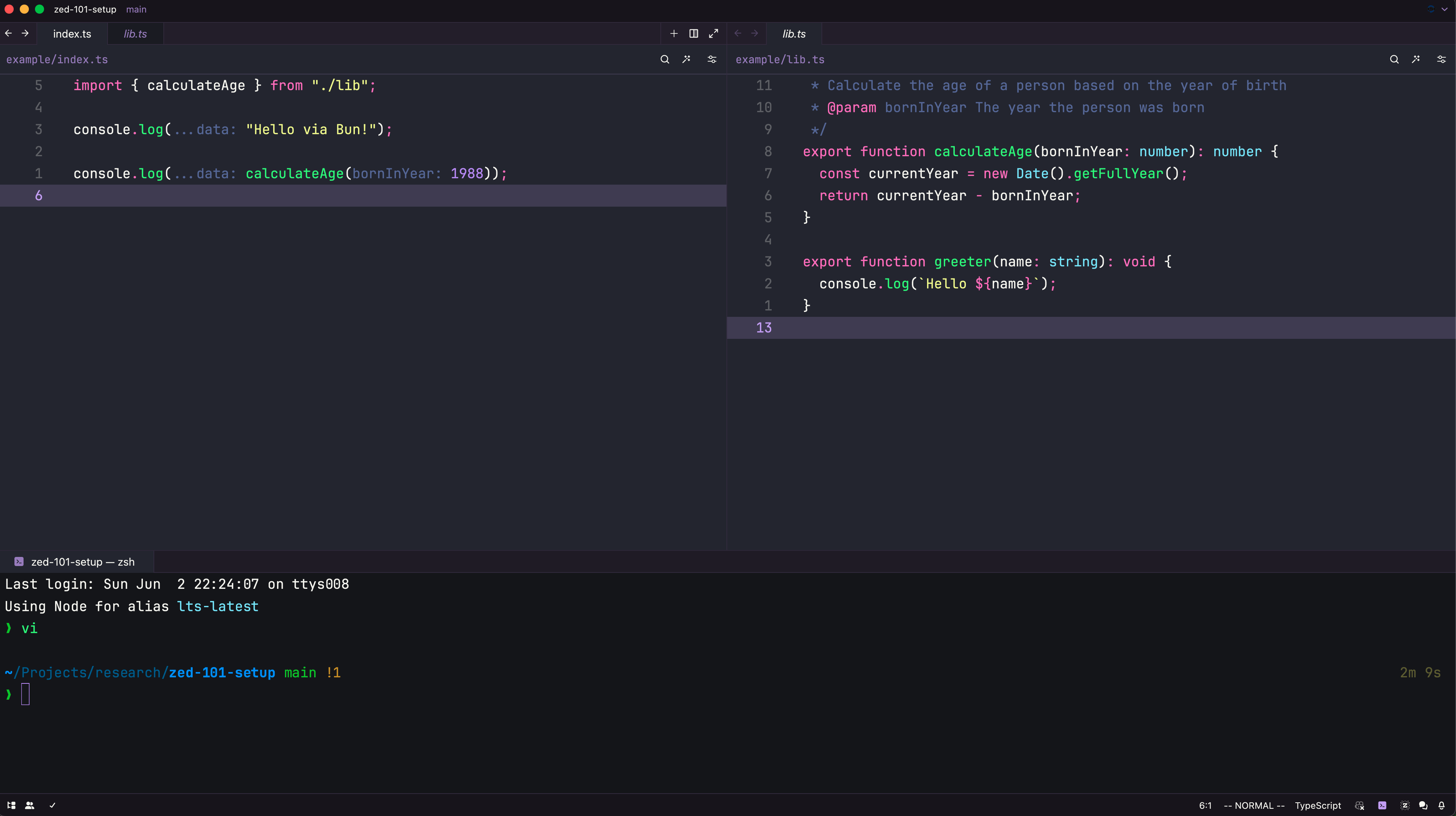
Update your keymap.json file with the following key bindings:
// keymap.json, generated at Sat Jun 13 2026 16:13:20 GMT+0800 (Singapore Standard Time)
[
  {
    "context": "Editor && (vim_mode == normal || vim_mode == visual) && !VimWaiting && !menu",
    "bindings": {
      // put key-bindings here if you want them to work in normal & visual mode
      // Git
      "space g h d": "editor::ToggleSelectedDiffHunks",
      "space g s": "git_panel::ToggleFocus",
      // Toggle inlay hints
      "space t i": "editor::ToggleInlayHints",
      // Toggle soft wrap
      "space u w": "editor::ToggleSoftWrap",
      // NOTE: Toggle Zen mode, partially with nvim plugin like no-neck-pain
      "space c z": "workspace::ToggleCenteredLayout",
      // Open markdown preview
      "space m p": "markdown::OpenPreview",
      "space m P": "markdown::OpenPreviewToTheSide",
      // Open recent project
      "space f p": "projects::OpenRecent",
      // Search word under cursor
      "space s w": "pane::DeploySearch",
      // Search on current buffer
      "space s b": "buffer_search::Deploy",
      // Chat with AI — inline assists (editor buffer)
      "space a i": "assistant::InlineAssist",
      // Agent panel (chat panel)
      "space a c": "agent::ToggleFocus",
      "space a n": "agent::NewThread",
      "space a m": "agent::ToggleModelSelector",
      "space a s": "agent::OpenSettings",
      "space a a": "agent::OpenProjectAGENTS.mdRules",
      "space a d": "agent::OpenAgentDiff",
      // Go to file with `gf`
      "g f": "editor::OpenExcerpts",
    },
  },
  {
    "context": "Editor && vim_mode == normal && !VimWaiting && !menu",
    "bindings": {
      // put key-bindings here if you want them to work only in normal mode
      // Ctrl hjkl to move between panes
      "ctrl-h": "workspace::ActivatePaneLeft",
      "ctrl-l": "workspace::ActivatePaneRight",
      "ctrl-k": "workspace::ActivatePaneUp",
      "ctrl-j": "workspace::ActivatePaneDown",
      // LSP
      "space c a": "editor::ToggleCodeActions",
      "space .": "editor::ToggleCodeActions",
      "space c r": "editor::Rename",
      "space c f": "editor::Format",
      "g d": "editor::GoToDefinition",
      "g D": "editor::GoToDefinitionSplit",
      "g i": "editor::GoToImplementation",
      "g I": "editor::GoToImplementationSplit",
      "g t": "editor::GoToTypeDefinition",
      "g T": "editor::GoToTypeDefinitionSplit",
      "g r": "editor::FindAllReferences",
      "] d": "editor::GoToDiagnostic",
      "[ d": "editor::GoToPreviousDiagnostic",
      // Next/prev error
      "] e": ["editor::GoToDiagnostic", { "severity": "error" }],
      "[ e": ["editor::GoToPreviousDiagnostic", { "severity": "error" }],
      // Next/prev warning
      "] w": ["editor::GoToDiagnostic", { "severity": "warning" }],
      "[ w": ["editor::GoToPreviousDiagnostic", { "severity": "warning" }],
      // Next/prev hint
      "] H": ["editor::GoToDiagnostic", { "severity": "hint" }],
      "[ H": ["editor::GoToPreviousDiagnostic", { "severity": "hint" }],
      // Symbol search
      "s s": "outline::Toggle",
      "s S": "project_symbols::Toggle",
      // Diagnostic
      "space x x": "diagnostics::Deploy",
      // Git
      // Git prev/next hunk
      "] h": "editor::GoToHunk",
      "[ h": "editor::GoToPreviousHunk",
      // Git project diff
      "space g d": "git::Diff",
      // Toggle inline blame
      "space g b": "editor::ToggleGitBlameInline",
      // Expand all diff hunks
      "space g h e": "editor::ExpandAllDiffHunks",
      // Buffers
      // Switch between buffers
      "shift-h": "pane::ActivatePreviousItem",
      "shift-l": "pane::ActivateNextItem",
      // Close active panel
      "shift-q": "pane::CloseActiveItem",
      "ctrl-q": "pane::CloseActiveItem",
      "space b d": "pane::CloseActiveItem",
      // Buffer switch alias
      "space b b": "pane::ActivatePreviousItem",
      // Close other items
      "space b o": "pane::CloseOtherItems",
      // Save file
      "ctrl-s": "workspace::Save",
      // File finder
      "space space": "file_finder::Toggle",
      // Project search
      "space /": "pane::DeploySearch",
      // Show project panel with current file
      "space e": "pane::RevealInProjectPanel",
      // Move lines up/down
      "alt-k": "editor::MoveLineUp",
      "alt-j": "editor::MoveLineDown",
      // Buffer prev/next aliases
      "[b": "pane::ActivatePreviousItem",
      "]b": "pane::ActivateNextItem",
      // Window management
      "space w w": "workspace::ActivatePreviousPane",
      "space w -": "pane::SplitDown",
      "space w |": "pane::SplitRight",
      // New file
      "space f n": "workspace::NewFile",
      // Quit all
      "space q q": "workspace::CloseWindow",
      // Window resize
      "ctrl-shift-k": "vim::ResizePaneUp",
      "ctrl-shift-j": "vim::ResizePaneDown",
      "ctrl-shift-h": "vim::ResizePaneLeft",
      "ctrl-shift-l": "vim::ResizePaneRight",
      // Close active buffer
      "space w d": "pane::CloseActiveItem",
    },
  },
  // Empty pane, set of keybindings that are available when there is no active editor
  {
    "context": "EmptyPane || SharedScreen",
    "bindings": {
      // Open file finder
      "space space": "file_finder::Toggle",
      // Open recent project
      "space f p": "projects::OpenRecent",
      // Open AI chat
      "space a c": "agent::ToggleFocus",
      // FFF GUI, refer https://github.com/th0jensen/fff-gpui#configuration
      "space f f": [
        "task::Spawn",
        {
          "task_name": "fff-gpui: Files",
        },
      ],
      "space f g": [
        "task::Spawn",
        {
          "task_name": "fff-gpui: Grep",
        },
      ],
      // Git status
      "space g s": "git_panel::ToggleFocus",
    },
  },
  // Comment code
  {
    "context": "Editor && vim_mode == visual && !VimWaiting && !menu",
    "bindings": {
      // visual, visual line & visual block modes
      "g c": "editor::ToggleComments",
      // Inline assists (selection required — runs in editor buffer)
      "space a e": [
        "assistant::InlineAssist",
        {
          "prompt": "Explain the selected code. Cover purpose, control flow, and non-obvious behavior.",
        },
      ],
      "space a f": [
        "assistant::InlineAssist",
        {
          "prompt": "Fix bugs and issues in the selected code. Identify root causes, not just symptoms.",
        },
      ],
      "space a t": [
        "assistant::InlineAssist",
        {
          "prompt": "Generate focused unit tests for the selected code. Use the project's test framework and conventions. Output with arrange/act/assert sections.",
        },
      ],
      "space a r": [
        "assistant::InlineAssist",
        {
          "prompt": "Refactor the selected code for clarity and maintainability without changing external behavior. Extract functions, simplify conditions, remove duplication.",
        },
      ],
      "space a d": [
        "assistant::InlineAssist",
        {
          "prompt": "Add concise inline documentation comments to the selected code without changing logic.",
        },
      ],
      "space a k": [
        "assistant::InlineAssist",
        {
          "prompt": "Summarize the selected code. One-paragraph summary plus key takeaways.",
        },
      ],
      "space a n": "agent::NewThread",
      // Focus agent panel, attach visual selection — sidekick `<leader>av`
      "space a v": [
        "action::Sequence",
        ["agent::ToggleFocus", "agent::AddSelectionToThread"],
      ],
    },
  },
  // Better escape
  {
    "context": "Editor && vim_mode == insert && !menu",
    "bindings": {
      "j j": "vim::NormalBefore", // remap jj in insert mode to escape
      "j k": "vim::NormalBefore", // remap jk in insert mode to escape
    },
  },
  // Rename
  {
    "context": "Editor && vim_operator == c",
    "bindings": {
      "c": "vim::CurrentLine",
      "r": "editor::Rename", // zed specific
    },
  },
  // Code Action
  {
    "context": "Editor && vim_operator == c",
    "bindings": {
      "c": "vim::CurrentLine",
      "a": "editor::ToggleCodeActions", // zed specific
    },
  },
  // Toggle terminal
  {
    "context": "Workspace",
    "bindings": {
      "ctrl-\\": "terminal_panel::ToggleFocus",
    },
  },
  {
    "context": "Terminal",
    "bindings": {
      "ctrl-h": "workspace::ActivatePaneLeft",
      "ctrl-l": "workspace::ActivatePaneRight",
      "ctrl-k": "workspace::ActivatePaneUp",
      "ctrl-j": "workspace::ActivatePaneDown",
    },
  },
  // File panel (netrw)
  {
    "context": "ProjectPanel && not_editing",
    "bindings": {
      "a": "project_panel::NewFile",
      "A": "project_panel::NewDirectory",
      "r": "project_panel::Rename",
      "d": "project_panel::Delete",
      "x": "project_panel::Cut",
      "c": "project_panel::Copy",
      "p": "project_panel::Paste",
      // Close project panel as project file panel on the right
      "q": "workspace::ToggleRightDock",
      "space e": "workspace::ToggleRightDock",
      // Navigate between panel
      "ctrl-h": "workspace::ActivatePaneLeft",
      "ctrl-l": "workspace::ActivatePaneRight",
      "ctrl-k": "workspace::ActivatePaneUp",
      "ctrl-j": "workspace::ActivatePaneDown",
    },
  },
  // Panel navigation
  {
    "context": "Dock",
    "bindings": {
      "ctrl-w h": "workspace::ActivatePaneLeft",
      "ctrl-w l": "workspace::ActivatePaneRight",
      "ctrl-w k": "workspace::ActivatePaneUp",
      "ctrl-w j": "workspace::ActivatePaneDown",
    },
  },
  {
    "context": "Workspace",
    "bindings": {
      // Map VSCode like keybindings
      "cmd-b": "workspace::ToggleRightDock",
    },
  },
  // Run nearest task
  {
    "context": "EmptyPane || SharedScreen || vim_mode == normal",
    "bindings": {
      "space r t": [
        "editor::SpawnNearestTask",
        {
          "reveal": "no_focus",
        },
      ],
    },
  },
  // Sneak motion, refer https://github.com/zed-industries/zed/pull/22793/files#diff-90c0cb07588e2f309c31f0bb17096728b8f4e0bad71f3152d4d81ca867321c68
  {
    "context": "vim_mode == normal || vim_mode == visual",
    "bindings": {
      "s": ["vim::PushSneak", {}],
      "S": ["vim::PushSneakBackward", {}],
    },
  },
  // Which key, refer to https://github.com/zed-industries/zed/pull/43618
  {
    "context": "(VimControl && !menu)",
    "bindings": {
      "space": null, // Disable the default action vim::WrappingRight
      // FFF GUI, refer https://github.com/th0jensen/fff-gpui#configuration
      "space f f": [
        "task::Spawn",
        {
          "task_name": "fff-gpui: Files",
        },
      ],
      "space f g": [
        "task::Spawn",
        {
          "task_name": "fff-gpui: Grep",
        },
      ],
    },
  },
  // Subword motion is not working really nice with `ciw`, disable for now
  // {
  //   "context": "VimControl && !menu",
  //   "bindings": {
  //     "w": "vim::NextSubwordStart",
  //     "b": "vim::PreviousSubwordStart",
  //     "e": "vim::NextSubwordEnd",
  //     "g e": "vim::PreviousSubwordEnd"
  //   }
  // }
]Update your tasks.json file with the following task definitions:
// tasks.json, generated at Sat Jun 13 2026 16:13:20 GMT+0800 (Singapore Standard Time)
[
  {
    "label": "fff-gpui: Files",
    "command": "EDITOR=zed fff-gpui --open .",
    "use_new_terminal": false,
    "allow_concurrent_runs": false,
    "reveal": "never",
    "reveal_target": "dock",
    "hide": "always",
    "shell": "system",
    "show_summary": false,
    "show_command": false,
    "save": "none",
  },
  {
    "label": "fff-gpui: Grep",
    "command": "EDITOR=zed fff-gpui --open . --grep",
    "use_new_terminal": false,
    "allow_concurrent_runs": false,
    "reveal": "never",
    "reveal_target": "dock",
    "hide": "always",
    "shell": "system",
    "show_summary": false,
    "show_command": false,
    "save": "none",
  },
]The tasks above enable the space f f and space f g keybindings defined in Keymaps. They spawn fff-gpui with the current directory as root.
fff-gpui: Files— Opens an interactive file picker using fff-gpuifff-gpui: Grep— Opens an interactive grep search across project files
This config already includes Ollama support via the language_models.ollama setting pointing at http://localhost:11434. To use local AI:
- Install Ollama — https://ollama.com
- Pull a model — e.g.,
ollama pull llama3.2 - Start the server —
ollama serve(or launch the app)
Zed automatically discovers pulled Ollama models through the api_url setting. No additional config is needed — the models appear in the agent model picker alongside cloud providers.
Refer to Zed's Ollama docs for more details.
- biomejs/biome-zed: Biome extension for Zed
- oxc-project/zed-oxc: Oxc extension for Zed
- zed-industries/zed: Ruff
- Text Manipulation Kung Fu for the Aspiring Black Belt
- Vim - Zed
- JavaScript - Zed
- Bringing Interactive Computing to Zed: Introducing REPL Support
- Leaving Neovim for Zed • Steve Simkins
- Other Zed config
- Maple Font - A Nerd Font with ligatures
- Maple Theme for Zed
sh cli.sh👤 Huynh Duc Dung
- Website: https://productsway.com/
- Twitter: @jellydn
- Github: @jellydn
If this guide has been helpful, please give it a ⭐️.



Thanks goes to these wonderful people (emoji key):
 Dung Duc Huynh (Kaka) 💻 📖 |
 d1y 📖 |
 Naadiyaar 📖 |
 Jan Lubojacký 📖 |
This project follows the all-contributors specification. Contributions of any kind welcome!