Train an image captioner with 0.30 BLEU score in under an hour! Includes PyTorch model code, example training script, and pre-trained model weights.
Example captions were computed with the pretrained model mentioned below.
"A man riding a wave on top of a surfboard."

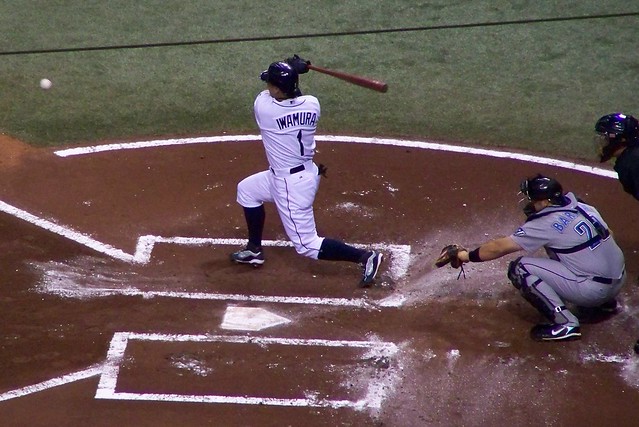
"A baseball player is swinging a bat at a ball."
"A dog jumping in the air to catch a frisbee."

Install for easier access to the following objects/classes:
clip_text_decoder.dataset.ClipCocoCaptionsDatasetclip_text_decoder.model.ClipDecoderclip_text_decoder.model.ClipDecoderInferenceModel
The train.py script will not be available in the installed package, since it's located in the root directory. To train new models, either clone this repository or recreate train.py locally.
Using pip:
pip install clip-text-decoderFrom source:
git clone https://github.com/fkodom/clip-text-decoder.git
cd clip-text-decoder
pip install .
NOTE: You'll also need to install openai/CLIP to encode images with CLIP. This is also required by ClipCocoCaptionsDataset to build the captions dataset the first time (cached for subsequent calls).
pip install "clip @ git+https://github.com/openai/CLIP.git"For technical reasons, the CLIP dependency can't be included in the PyPI package, since it's not an officially published package.
from PIL import Image
import torch

from clip_text_decoder.model import ImageCaptionInferenceModel

model = ImageCaptionInferenceModel.download_pretrained()
device = "cuda" if torch.cuda.is_available() else "cpu"
model.to(device)

image = Image.open("path/to/image.jpeg")
caption = model(image)
To cache the pretrained model locally, so that it's not re-downloaded each time:
model = ImageCaptionInferenceModel.download_pretrained("/path/to/model.zip")import clip
from PIL import Image
import torch
from clip_text_decoder.model import ClipDecoderInferenceModel
model = ClipDecoderInferenceModel.download_pretrained()
device = "cuda" if torch.cuda.is_available() else "cpu"
model.to(device)
clip_model, clip_preprocessor = clip.load("ViT-B/32", device=device, jit=False)
image = Image.open("path/to/image.jpeg")
preprocessed = clip_preprocessor(dummy_image).to(device)
# Add a batch dimension using '.unsqueeze(0)'
encoded = clip_model.encode_image(preprocessed.unsqueeze(0))
caption = model(encoded)The training script will produce a model.zip archive, containing the Tokenizer and trained model parameters. Use the .load(...) method to initialize an inference model from the model archive.
import clip
from PIL import Image
import torch

from clip_text_decoder.model import ClipDecoderInferenceModel

model = ClipDecoderInferenceModel.load("path/to/model.zip").to(device)
# Load CLIP model and preprocessor, (optional) push to GPU, and predict caption...

Launch your own training session using the provided script (train.py):
python train.py --max-epochs 10Training CLI arguments, along with their default values:
--max-epochs 10  # (int)
--batch-size 32  # (int)
--accumulate-grad-batches 4  # (int)
--precision 16  # (16 or 32)
--seed 0  # (int)
One epoch takes about 5 minutes using a T4 GPU, which is freely available in Google Colab. After about 10 training epochs, you'll reach a BLEU-4 score of roughly 0.30. So in under an hour, you can train an image captioning model that is competitive with (though not quite matching) state-of-the-art accuracy.
TODO: Enable full end-to-end training, including the ClIP image backbone. This will dramatically increase training time, since the image encodings can no longer be pre-computed. But in theory, it should lead to higher overall accuracy of the model.
- Only works well with COCO-style images. If you go outside the distribution of COCO objects, you'll get nonsense text captions.
- Relatively short training time. Even within the COCO domain, you'll occasionally see incorrect captions. Quite a few captions will have bad grammar, repetitive descriptors, etc.